Why didn't IPv6 work in my home network?
Scroll to the bottom to see TLDR;
I’ve been a long time ACT broadband customer for my home network and they did not support IPv6 for quite some time. A few years back I contacted their support, they confirmed they are slowly rolling it out for users in Chennai. I was one of those users and I enabled IPv61 in my router and it worked without any issues. I ran a quick test and forgot about it.
I was testing my network connectivity due to a recent desk upgrade and noticed that ping google.com succeeded, but ping6 google.com failed. Weird, I thought my ISP might have disabled IPv6 again. I confirmed IPv6 connectivity from my ISP via my router’s admin portal. So why was I having a problem connecting over IPv6?
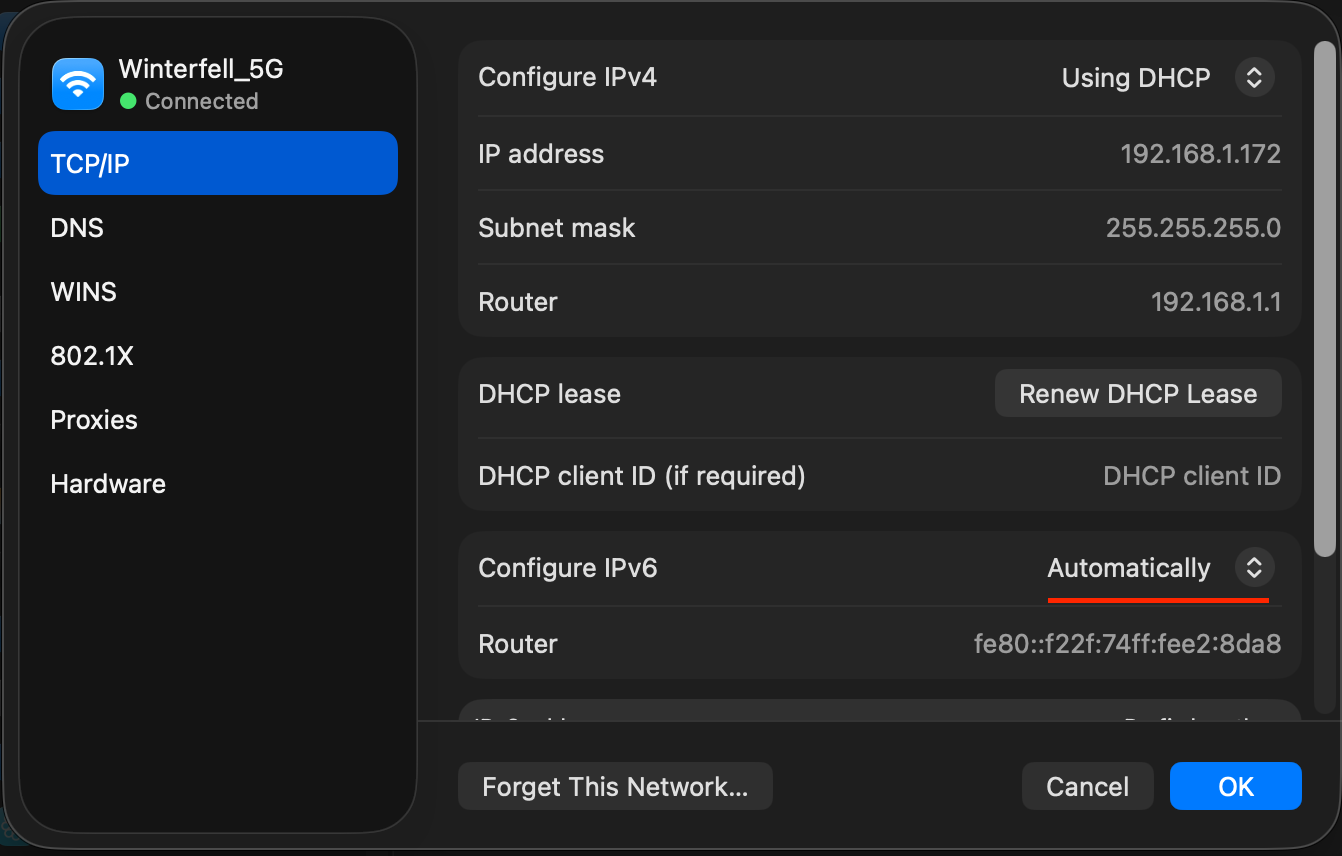
Maybe an issue with the device? I checked my macOS network settings and I have IPv6 allowed there as well.
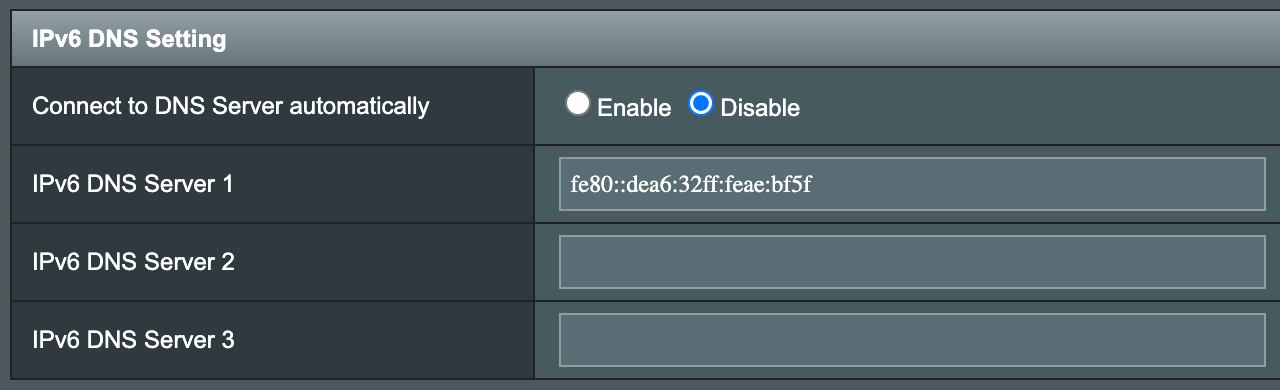
I logged into the raspberry pi connected over LAN to my router and noticed the same issue there. Since I’m running my own DNS server, I checked my router’s DNS settings for IPv6 DNS server address and cross-verified the ip address with my pi’s ethernet interface.
Maybe an issue with DHCP providing the right IPv6 DNS server address? To rule it out, I wanted to try pinging an IPv6 address directly - maybe google - and when I tried running dig AAAA google.com, no results from the DNS. Obviously, google will support IPv6 so I knew something was wrong with my DNS server. I then remembered switching to AdGuard Home DNS last year. When I checked Adguard Home’s DNS server settings, I found this small toggle that I overlooked.
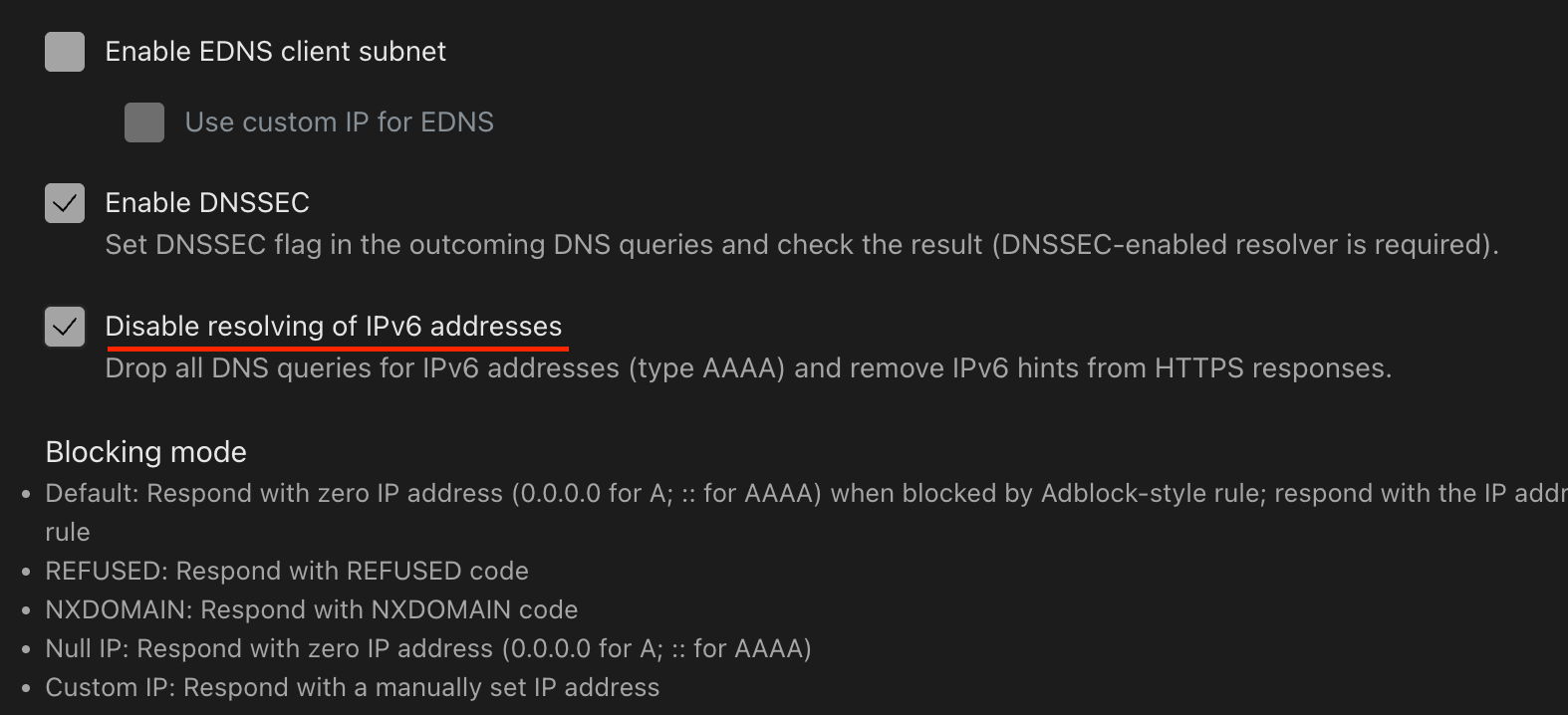
I unchecked that setting, saved it, and now I’m rocking IPv6 again.
$ ping -4 google.com -c 5
PING google.com (172.217.24.110) 56(84) bytes of data.
64 bytes from lcmaaa-ap-in-f14.1e100.net (172.217.24.110): icmp_seq=1 ttl=118 time=1.58 ms
64 bytes from lcmaaa-ap-in-f14.1e100.net (172.217.24.110): icmp_seq=2 ttl=118 time=1.53 ms
64 bytes from lcmaaa-ap-in-f14.1e100.net (172.217.24.110): icmp_seq=3 ttl=118 time=1.52 ms
64 bytes from lcmaaa-ap-in-f14.1e100.net (172.217.24.110): icmp_seq=4 ttl=118 time=1.64 ms
64 bytes from lcmaaa-ap-in-f14.1e100.net (172.217.24.110): icmp_seq=5 ttl=118 time=1.56 ms

--- google.com ping statistics ---
5 packets transmitted, 5 received, 0% packet loss, time 10ms
rtt min/avg/max/mdev = 1.519/1.565/1.637/0.065 ms

$ ping -6 google.com -c 5
PING google.com(maa05s16-in-x0e.1e100.net (2404:6800:4007:817::200e)) 56 data bytes
64 bytes from maa05s16-in-x0e.1e100.net (2404:6800:4007:817::200e): icmp_seq=1 ttl=118 time=1.61 ms
64 bytes from maa05s16-in-x0e.1e100.net (2404:6800:4007:817::200e): icmp_seq=2 ttl=118 time=1.56 ms
64 bytes from maa05s16-in-x0e.1e100.net (2404:6800:4007:817::200e): icmp_seq=3 ttl=118 time=1.56 ms
64 bytes from maa05s16-in-x0e.1e100.net (2404:6800:4007:817::200e): icmp_seq=4 ttl=118 time=1.66 ms
64 bytes from maa05s16-in-x0e.1e100.net (2404:6800:4007:817::200e): icmp_seq=5 ttl=118 time=1.60 ms

--- google.com ping statistics ---
5 packets transmitted, 5 received, 0% packet loss, time 12ms
rtt min/avg/max/mdev = 1.557/1.597/1.661/0.063 ms
TLDR - It was a setting on my Adguard Home DNS which disabled all IPv6 DNS queries.
-
There are a lot of benefits in enabling IPv6 in your network like reduced latencies, better P2P connections due to the lack of NAT traversal, SLAAC, etc. ↩